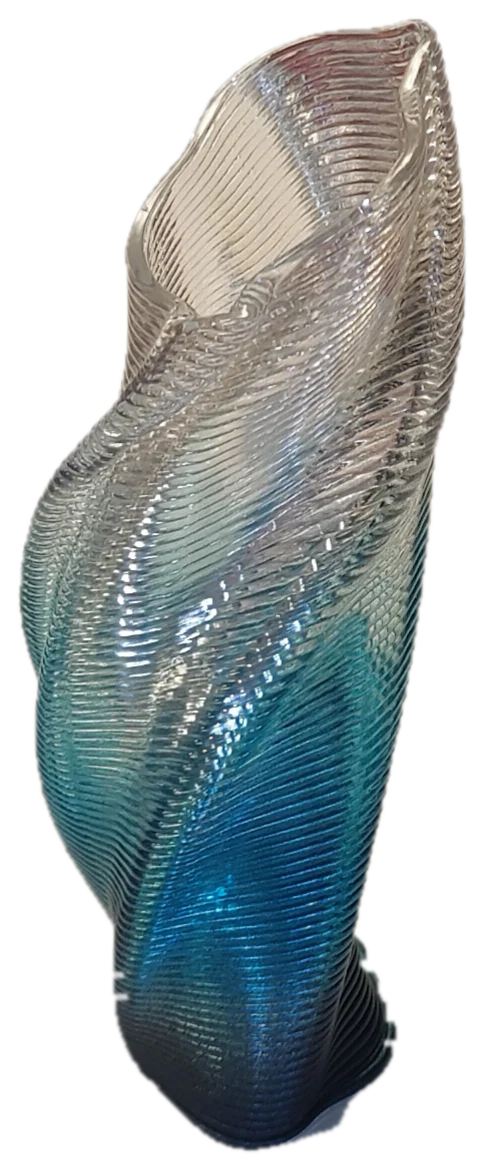
Slice large vases as one continuous spiral, in your browser.

The nozzle follows the shape instead of printing flat layers, so curved walls come out smooth: no seams, no supports. Slicing runs entirely on your own computer, so your models never leave your machine.

Slice a model free → Unlock full version

Nothing to install, no account. The free version slices your own models at default settings, and every setting is unlocked on the bundled example models so you can see the whole pipeline before you pay.

How it works

1 · Runs locally
A one-time download starts the Python slicing engine inside your browser (via WebAssembly). Your CPU does the work, often faster than a cloud server.
2 · Free: slice your own model
Load your STL / OBJ, slice it at default settings with your own printer profile, and download the g-code. On the example models every setting is unlocked.
3 · Unlock everything
Buy once, get a licence key by email, paste it in: all settings on your own models, open-surface slicing, lattice infill and the full toolset. No subscription.

What it does

♻ Built for printing with recycled filament. Please use it if you can.

Pricing

NZ$10 once

Pay once, keep access. No subscription. Every setting unlocked on your own models: layer shaping, lattice infill, overhang tuning, open-surface slicing, splitting, flanges and sequencing.

Buy Have a key? Open app

After buying you'll get a licence key by email. Open the app and paste it into “unlock full” (top-right). Friend codes work there too.

About

Hi, I'm Ben. I create art and sculpture using recycled materials, and I built this slicer for my own work, printing large curved pieces with recycled filament. A small one-off fee helps fund the journey. Thanks for supporting it.

Contact

Questions, problems or feature ideas: email benkeimpe@gmail.com.